hana 4dAndroid & iOS App
We at hana 4d offer mobile access to our sportsbook, live-dealer tables, and slot games through Android APK download, iOS browser, and web-app paths. Mobile-first design means you can track football matches on Liga 1 and Piala AFF, join live blackjack and roulette sessions, or play Aviator and Sweet Bonanza from any device with an internet connection. Our platform is available only where local law permits.

- LoginOTP Verification
- Installin
- and
- StartFirst Game
Installing hana 4d on your phone takes a few minutes. We support Android 7 and later, as well as iOS 12 and later via browser. Whether you choose direct APK installation on Android or access via Safari on iPhone, the account, payment methods, and game library remain the same across all paths.
This guide walks through each installation method, common setup questions, and what to expect once you log in. We also cover device compatibility, security practices, and troubleshooting for users in Jakarta, Surabaya, Bandung, and other regions where our service operates.
Installation paths on hana 4d
We provide three ways to access hana 4d on mobile: direct Android APK download, iOS browser access, and a responsive web app. Each path connects to the same account and payment system, so your balance, betting history, and deposit methods sync instantly across devices.
Android APK
Direct download and install on Android 7+. Fastest performance and offline cache support.
Download APKiOS Browser
Open Safari on iPhone or iPad. No app store needed; instant access to all games.
Open in Safari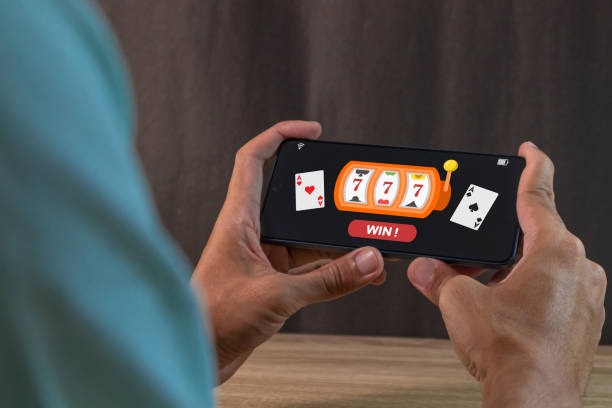
Getting started with hana 4d on mobile
Step-by-step installation
-
Download the APK or open the browser
Android users: download the hana 4d APK from our site. iOS users: open Safari and visit hana4d.bet.
-
Install and allow permissions
Android: tap Install, then allow storage and notification permissions. iOS: add to home screen via the Share menu.
-
Register or log in
Create a new account with email, username, and password, or sign in if you already have one.
-
Add a payment method and start playing
Link DANA, e-wallet, mobile banking, or a bank account. Make your first deposit and browse sportsbook, live dealer, or slots.
App vs. browser: which is right for you
Our Android APK app offers offline caching, so you can view your account and recent bets even without internet. Push notifications alert you to live football matches on Liga 1, Piala AFF, and esports tournaments like Mobile Legends. The app also loads faster on slower connections. The browser version works on any device and requires no installation, making it ideal if you switch phones often or prefer not to store an app. Both paths give you full access to blackjack, roulette, Dragon Tiger, Aviator, Sweet Bonanza, and Gates of Olympus.
Device compatibility
We support Android 7.0 and later on phones and tablets. iOS users need iOS 12 or later to access hana 4d via Safari or Chrome. Most devices from the last five years meet these requirements. If you have an older phone, check your device settings under About Phone (Android) or General > About (iOS) to confirm your version. Users in Medan, Semarang, and other regions can access hana 4d on standard mid-range and flagship devices without issues.
Troubleshooting common install issues
Android users may see a warning about "Unknown sources" when installing the APK. This is normal; go to Settings > Security > Unknown Sources and enable it temporarily. After installation, you can disable it again. If the APK does not download, check that your browser allows downloads and that you have at least 50 MB of free storage. iOS users who cannot add hana 4d to their home screen should ensure they are using Safari (not Chrome) and that their device has enough storage. If the app crashes on launch, try clearing your browser cache or reinstalling the APK.

Data, permissions, and account security
When you install hana 4d, we request permission to store files (for offline cache and app updates) and send notifications (for live match alerts and withdrawal confirmations). We do not access your contacts, photos, or location. Your login credentials are encrypted in transit and stored securely on our servers. We use industry-standard TLS encryption for all data between your device and our platform. If you suspect unauthorized access, change your password immediately and contact our support team via email or live chat during business hours. We also recommend enabling two-factor authentication if your account offers it.
Getting the most from hana 4d on mobile
Once installed, hana 4d gives you instant access to football betting on Liga 1 and Piala AFF, live-dealer tables with real-time video feeds, and slot tournaments with daily and weekly schedules. Use the search bar to find specific matches or games. Set up payment shortcuts by saving your preferred DANA, e-wallet, or mobile banking account so deposits take fewer taps. Check the Notifications tab to stay updated on live events and account activity.
Our support team is available during business hours via email and live chat. If you have questions about deposits, withdrawals, account verification, or game rules, reach out and we will respond within a standard service window. We also provide multilingual guides in the Help section of the app.
Our services are available only where local law permits. Before opening an account, verify that online gaming and sportsbook access are legal in your jurisdiction. We do not offer our services in countries or regions where such activity is prohibited. Users are responsible for ensuring their use of hana 4d complies with applicable local law.